Piagent
The coding agent in Terminal (pi) and in the browser (piagent dashboard). Both share one history: start in Terminal, follow it in the browser.
 Pi Agent Platform
One dashboard, two ways to use models: your own account, or the company's models through Agent Watch and Agent Studio, with a Harness that checks every turn.
The whole picture
Piagent runs on each member's machine. In personal mode it uses your own model account. In company mode it goes through Agent Watch on your Mac and the company's Agent Studio: the company holds the keys, chooses the models and sets the checks for the whole team.
Parts
The coding agent in Terminal (pi) and in the browser (piagent dashboard). Both share one history: start in Terminal, follow it in the browser.
Checks every tool call before it runs: protected files such as .env, permission profiles, oversized files, edits on a stale read. Push, publish and network commands wait for your one-time approval.
A macOS app that keeps the company key in Keychain and imports the configuration for Piagent. Each turn gets short-lived authority; the model and its commands never read the key.
The company server: members, keys, budgets, daily usage and the team's Harness. Studio picks the model for each role (main, research, review) and the reasoning level.
One company turn
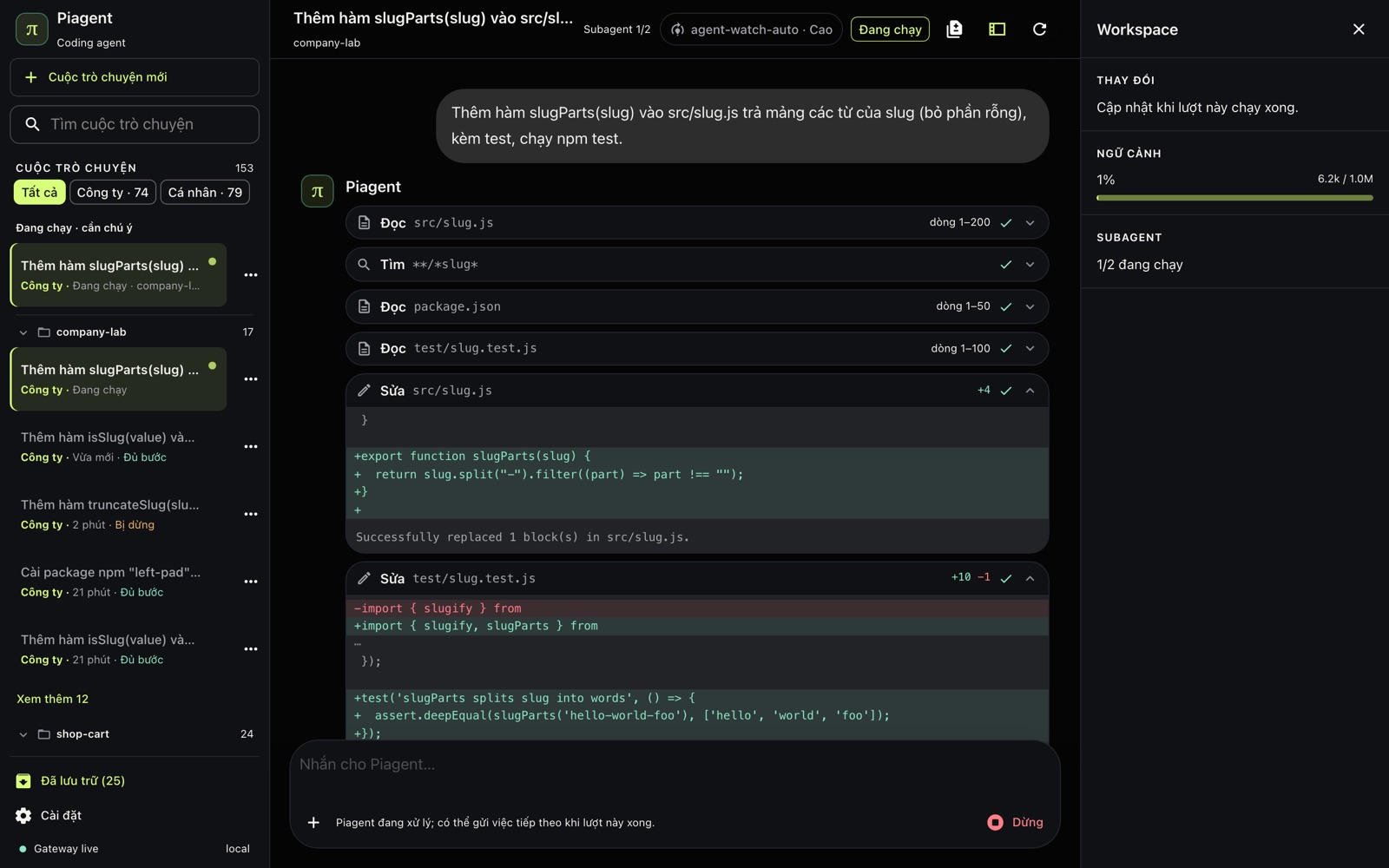
In plain language, with agent-watch-auto from the Company group.
Agent Watch asks for short-lived authority; Studio picks the main agent's model from the team's Harness.
It reads, edits and runs commands in the project without network. When a command needs the internet it asks you to approve that one command.
If no check passed on the final code it asks for one; then a subagent reviews the change. Blocking findings go back to the agent, up to the rounds the team set.
For example "A check passed on the final code · Review found no blocking issue". Stop at any time and Continue later.
Choosing a mode
| Personal | Company | |
|---|---|---|
| Models | The account you signed in with (Codex, Claude, Copilot…) | Chosen by the company in Studio, per role |
| Keys | Managed by Pi on your machine | On the server and in Keychain, never in the project |
| Checks | The guard; you decide when to run tests | The guard, the sandbox, and the Harness asking for checks and a review |
| Network for commands | As on your machine; push and publish wait for approval | Off; opened for one command when you approve it |
| Cost | Your plan | The company budget, with usage in Studio |
Personal: install with the Quickstart, then run piagent dashboard. Company: open Agent Watch, the Studio tab, connect the key and import the configuration for Piagent; agent-watch-auto then appears in the Company group.